When your screen is damaged, you face a critical decision: repair it or replace the device? This guide helps you make the right choice based on cost, device age, damage severity, and your specific situation.
Quick Decision Calculator
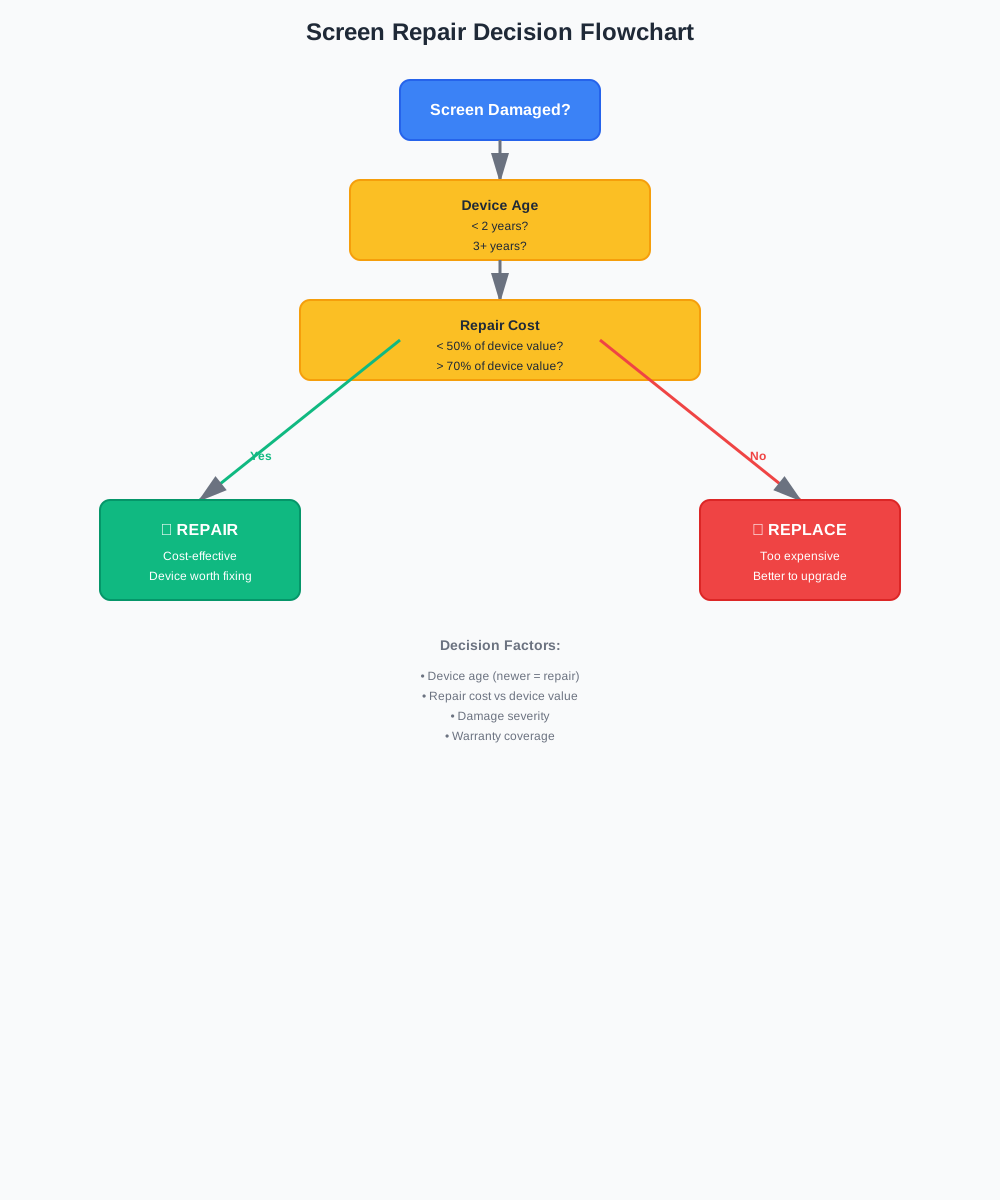
Answer these questions to get a recommendation based on device type, age, repair costs, and resale value:
📊 Research-Based Analysis:
Our calculator factors in real-world data: iPhones retain 70-75% value after 1 year vs 50-60% for Android phones. iPhone repairs cost more ($300+) but the better resale value often makes repairs worthwhile even at higher costs. Android phones depreciate faster, so repair decisions need more careful cost-benefit analysis.
✅ Repair Your Screen If:
1. Device is Less Than 2 Years Old
Newer devices are worth repairing. The technology is still current, and repair costs are usually reasonable compared to replacement.
2. Repair Cost is Less Than 50% of Device Value
As a general rule, if repair costs less than half the device's current value, it's usually worth fixing.
Example: iPhone 13 worth $400, repair costs $150 = Good to repair
3. Only Minor Damage
Small cracks, scratches, or a few dead pixels are easily repairable and don't affect functionality much.
4. Device is Still Under Warranty
If your device is covered by warranty or insurance, repair is often free or heavily discounted.
5. Sentimental Value
If the device has personal significance, repair might be worth it regardless of cost.
❌ Replace Your Device If:
1. Repair Cost Exceeds 70% of Device Value
When repair is nearly as expensive as replacement, it's usually better to upgrade to a newer model.
Example: iPhone X worth $200, repair costs $180 = Better to replace
2. Multiple Components Are Damaged
If the screen damage is accompanied by other issues (battery, motherboard, etc.), replacement might be more cost-effective.
3. Device is 3+ Years Old
Older devices are approaching end-of-life. Repairing might only delay the inevitable upgrade.
4. Screen Damage Affects Functionality Significantly
If the damage makes the device difficult or unsafe to use, replacement might be the better option.
5. You Want to Upgrade Anyway
If you've been considering an upgrade, screen damage might be the perfect excuse to get a newer model.
DIY vs Professional Repair
DIY Repair
- ✓ Save 50-70% on labor costs
- ✓ Learn valuable skills
- ✓ Control over parts quality
- ✗ Risk of further damage
- ✗ Time-consuming (2-4 hours)
- ✗ No warranty on work
Best for: Tech-savvy users, older devices, simple repairs
Professional Repair
- ✓ Expert installation
- ✓ Warranty on work
- ✓ Fast turnaround (1-2 hours)
- ✗ Higher cost (labor fees)
- ✗ Need to find reputable shop
- ✗ May use lower-quality parts
Best for: Newer devices, complex repairs, warranty concerns
Our Recommendation: For phones and tablets, DIY is often feasible with online guides. For laptops (especially MacBooks), professional repair is usually safer. Always get multiple quotes before deciding.
Cost Comparison Examples
| Device | DIY Repair | Professional | New Device | Recommendation |
|---|---|---|---|---|
| iPhone 14 | $80-120 | $200-300 | $800 | DIY Repair |
| iPhone X | $50-80 | $150-200 | $200-300 | Consider Replace |
| MacBook Pro 16" | $150-300 | $400-800 | $2500+ | Professional |
| Samsung Galaxy S23 | $60-100 | $180-250 | $800 | DIY Repair |
Find Local Repair Shops
Get quotes from professional repair shops near you